There’s an old trope about “…now they have two problems.” (No, not those two.) But what about when the problems don’t stop at just two? If you’ve been around a while you’ve probably seen this kind of thing - one problem leading to another, which leads to another…
Suppose you’ve got a misbehaving service. In an attempt to get more information about what’s going on you turn on debug logging. Welp…

Okay, so now your log file has ballooned and filled up the filesystem. No big deal, just remove/truncate it, right? Oops, that didn’t work, it’s owned by the app user.
Enter: sudo!
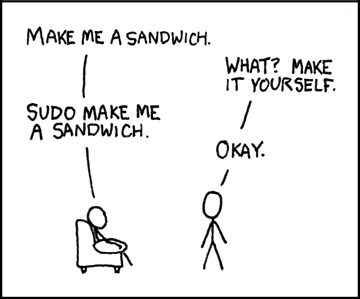
Hmmm…but that didn’t work, either. It looks like Midgard is complaining that it can’t create the socket file it needs for sudo forwarding.
$ df -h Filesystem Size Used Avail Use% Mounted on devtmpfs 32G 0 32G 0% /dev tmpfs 32G 6.1M 32G 1% /dev/shm tmpfs 32G 3.2G 29G 11% /run tmpfs 32G 0 32G 0% /sys/fs/cgroup /dev/sda2 30G 30G 20K 100% / /dev/sda1 497M 122M 376M 25% /boot /dev/sdc1 512G 512G 9.3M 100% /export /dev/sdb1 126G 61M 120G 1% /mnt/resource
Oh, the root filesystem is full, too? That’s weird - the app shouldn’t be writing anywhere in the root filesystem. Ah…but users do. For instance, when they open a gigundus log file in vim, which can’t hold the entire thing in RAM so it writes out to a temporary swap file.
No big deal - just close vim, it’ll clean up the swap file, then reconnect to allow Midgard to set up its sudo socket, and then delete that log file and restart the service (which isn’t doing so well at the moment, on account of the full filesystems).
Except now vim is hung on account of trying to swap a titanic log file in and out to disk (which is full). Okay, so just kill vim…and then poke around in $HOME…and then take a peek in /tmp…and then Google “Where does vim write its swap file?”
Woops, there go the alerts! Man I guess this service really isn’t happy now…
Isn’t this fun?
Aren’t computers awesome?!